01 · Parent-built
Build the routine in minutes.
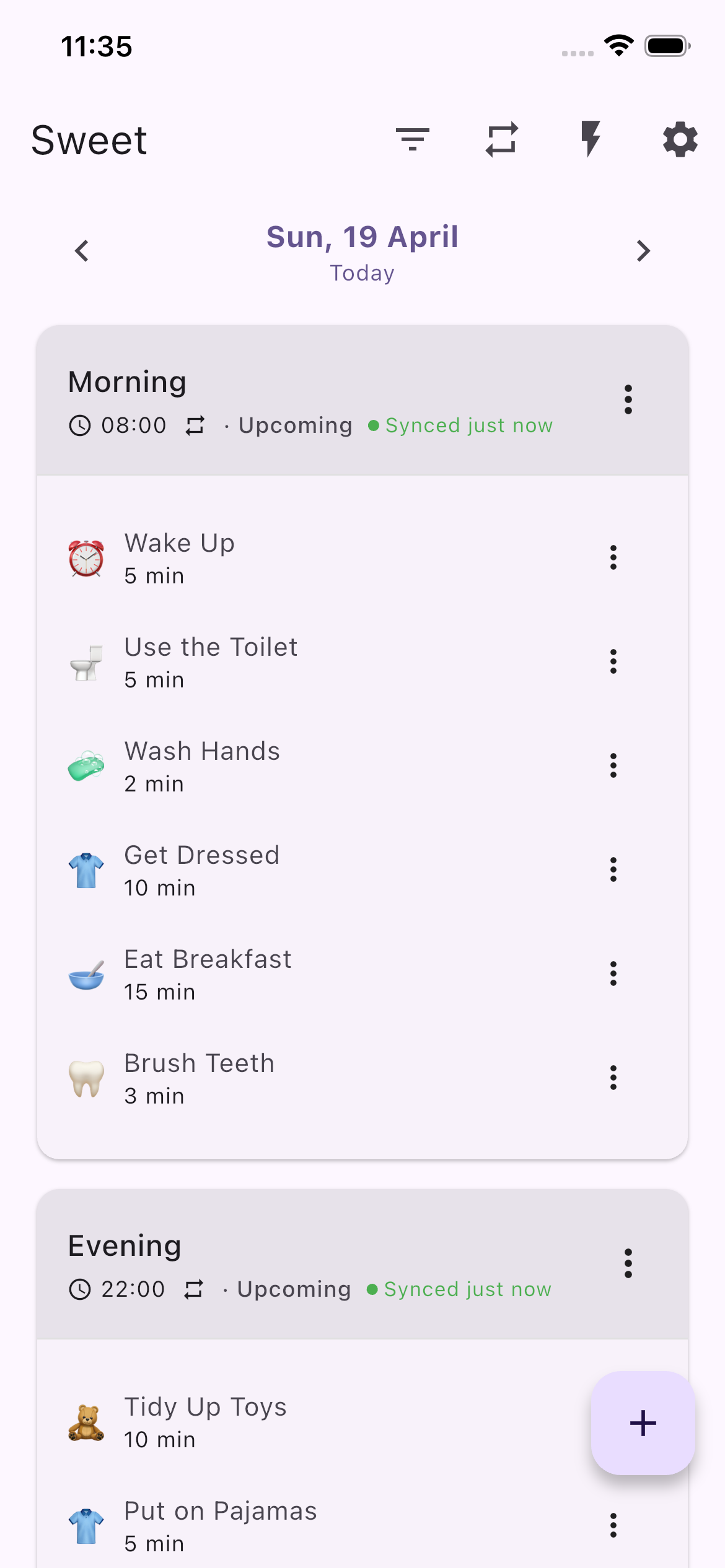
Start from a blank day or a ready-made template. Add steps in plain words — “Put on shoes,” “Breathe with me for ten seconds.” No clinic, no paperwork, no waiting.
You build the routine in the app. A character your child loves speaks each step from a calm smartwatch — and what works at home carries into therapy.
Parents build the routine. AI delivers it in a character’s voice. The watch keeps the child gently on track at home — and carries what works back into therapy.
Start from a blank day or a ready-made template. Add steps in plain words — “Put on shoes,” “Breathe with me for ten seconds.” No clinic, no paperwork, no waiting.
The child picks a friendly companion. AI speaks every prompt in that character’s voice and tone, so routines feel like play, not instructions.
The AI only speaks inside the routine you approved. It never invents tasks, never chats freely — it just makes your plan warm.
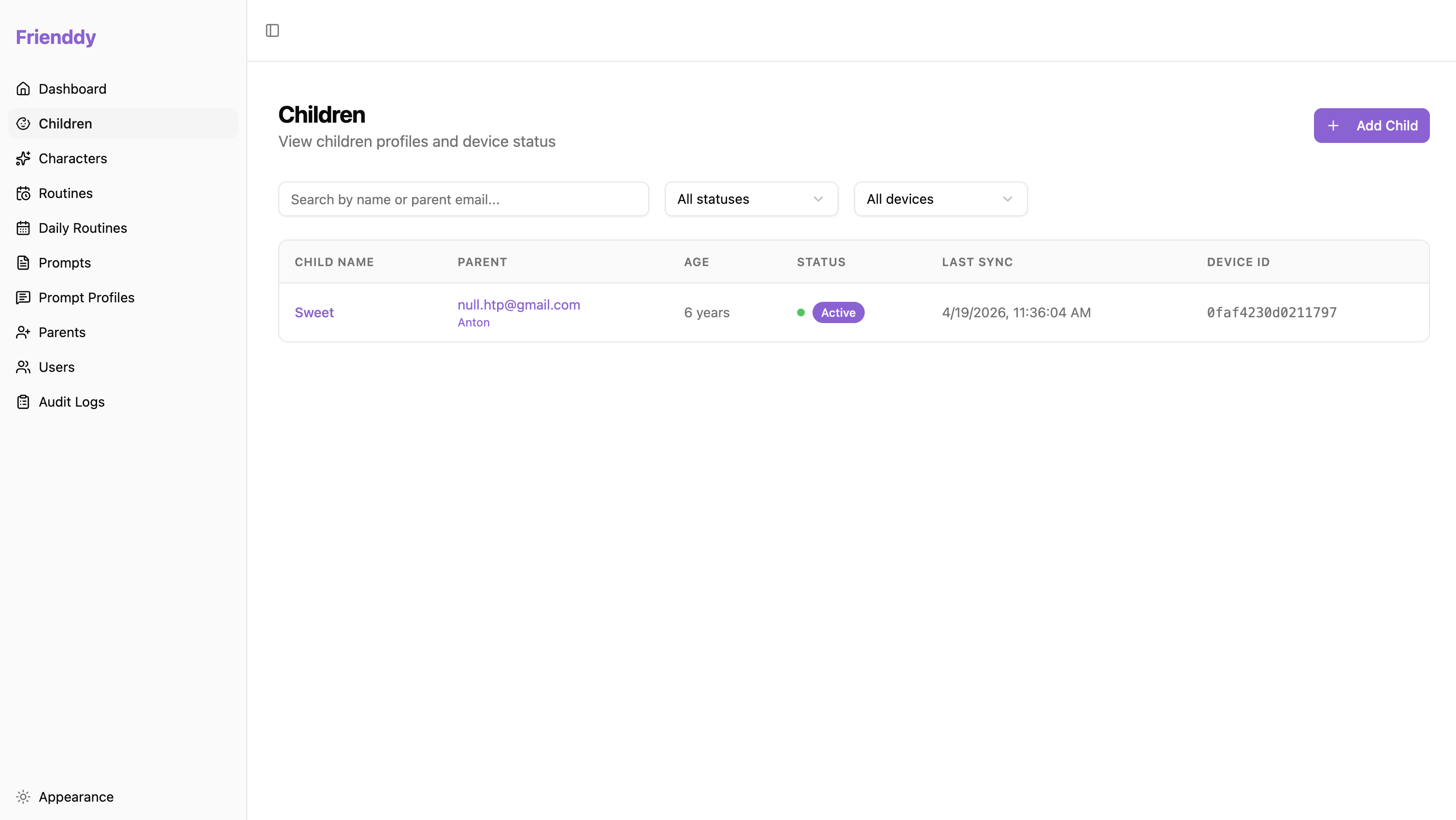
Small wins are logged, not guessed. Share a simple weekly summary so therapy builds on what really happens at home.
Only the parent account sees the data. HIPAA-aligned practices, encryption in transit and at rest.
Most coaching happens between sessions. Frienddy is there in the moment — without making the child feel watched. Scroll through one day.
Add the steps and set the times. Start from a template or build from scratch — whatever fits your family. Parent app
Each step becomes a short, friendly prompt in the voice the child chose. The watch shows one thing at a time — the child taps, replies, and moves on. Child watch
A simple weekly view shows what got done and what got skipped. Tweak a step, adjust a time, and tomorrow starts a little easier. Feedback
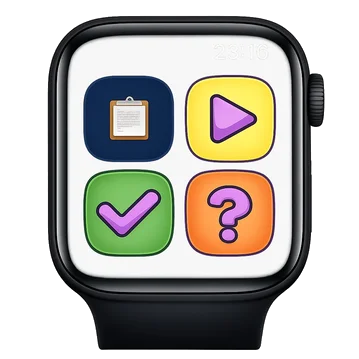
This is what your child sees on the watch — one step at a time, no menus, no noise. Wake Frienddy up and try it.
In the real app, the character speaks each step aloud in its own voice — the watch never relies on reading.



The parent app and the child’s watch are the core — designed to bridge daily life at home with the work children do in therapy.
The child hears the prompt in the chosen character’s voice. On screen, only three simple buttons: Done, Replay, Help. No nagging, no notifications, no distractions.
Frienddy is not medical advice and does not replace therapy. It’s a tool that helps parents guide the day — with warmth, patience, and consistency the child can count on.
It turns my morning from a battle into a rhythm. The character talks to her, not at her — and she actually listens. I finally feel one step ahead.
We’ve seen this from every side — as parents, as therapists, and as the people who build the software — and we build Frienddy together.

20+ years in finance and medical technology. Parent of a child with ASD.

Leads the platform, backend, and watch and mobile builds.

ABA and CBT background. Reviews routine templates and character voices.

Builds the full stack across watch, app, and web.

Designs and builds the product end to end.
No. Frienddy is a tool for parents — it helps with daily routines at home and makes it easier to share what’s happening with a child’s therapist. It complements therapy, it doesn’t replace it.
Only the parent account can see the data. We don’t sell data, don’t show ads, and use HIPAA-aligned practices with encryption in transit and at rest.
No. The AI can only generate language inside the routine the parent has approved. It rewrites each step in the chosen character’s voice, but it won’t invent new tasks, chat freely, or respond to anything outside the routine.
Child watch: watchOS (Apple Watch) and WearOS (Google). Parent app: iOS and Android.
Routine steps and times, quiet hours, reinforcement style, and which results to track. The character is set when the child joins Frienddy — parents don’t change it afterwards, so the child always hears the same familiar voice.
Frienddy is free while we’re in closed beta. Pricing will be announced at launch — beta families will hear about it first, and joining the beta doesn’t commit you to anything.
Frienddy is out of closed testing and live in both stores. Pick your platform and follow three short steps — phone first, then the watch.
Which phone do you have? Tap to pick your setup:
Frienddy is live on Google Play — a single listing now covers both the parent app and the child’s Wear OS watch app. Open it on your Android phone and tap Install.
The watch app ships inside that same listing. On your child’s Wear OS watch open the Play Store, search for Frienddy and tap Install — or install from the phone listing and pick the watch as the target device.
On first launch the watch shows a 6-digit pairing code. In the phone app go to Child → Device → Pair Device and type it in — the watch connects in seconds. It needs internet: Wi-Fi, or through the phone.
Anything you find — a typo, a glitch, a feature wish — is gold.
Leave a review on the Frienddy listing. Reviews are public, so they help other families find us — and we read every one.
Email [email protected] with repro steps, screenshots, or feature ideas. The whole team reads it.
Crashes are auto-collected via Play Console — no action needed. A quick note about what you were doing helps us reproduce.
Questions before you start? Get in touch →
Leave your email and we’ll reply within two business days with next steps for the pilot — for parents, caregivers, and therapy teams.